Liam Bansal
Games Programming Graduate


Liam's 4-In-A-Row
Personal Project


Download from Itch.io:
Liam's 4-In-A-Row is a four-in-a-row styled game that I'm developing as a hobby to learn more about creating multiplayer games, maintain my skills, and improve my portfolio post-university.
I didn't create the following assets:
-
Visual effects.
-
Sound effects.
-
Blur shader.
-
Fonts.
Why Four-In-A-Row?
I wanted to create a fun multiplayer game that I could complete as an independent developer. Four-in-a-row has already proven to be a popular and fun type of game, and the simple rules and mechanics make it a good choice to recreate as my first online multiplayer game.
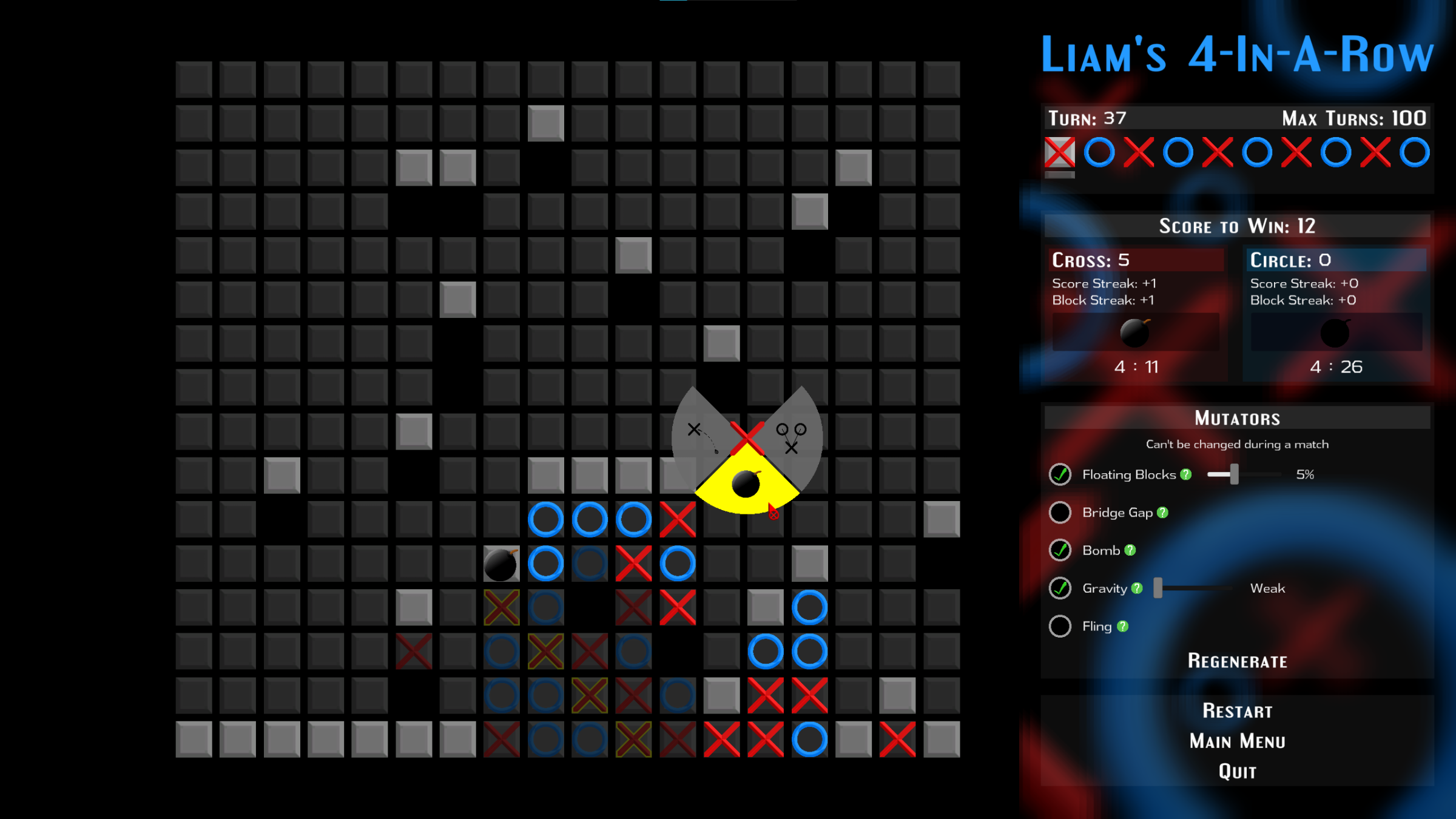
New Mechanics
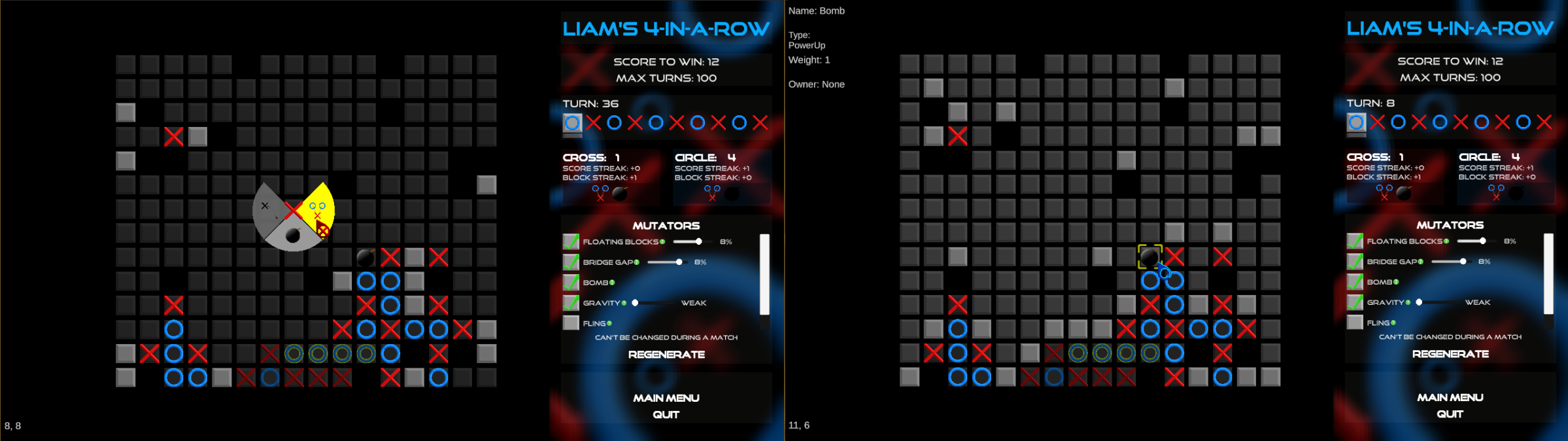
The game introduces new rules and mechanics through optional settings called mutators. By enabling these settings, players can collect a variety of power-ups, enable board-wide effects that apply to all counters, and spawn obstacles that reshape the board. The power-ups allow players to blow up counters (naughts & crosses), fling counters across the board, and tether counters together.
User Interface
The majority of the game's assets are actually user-interface (UI) elements that exist on a screen-space or world-space canvas.
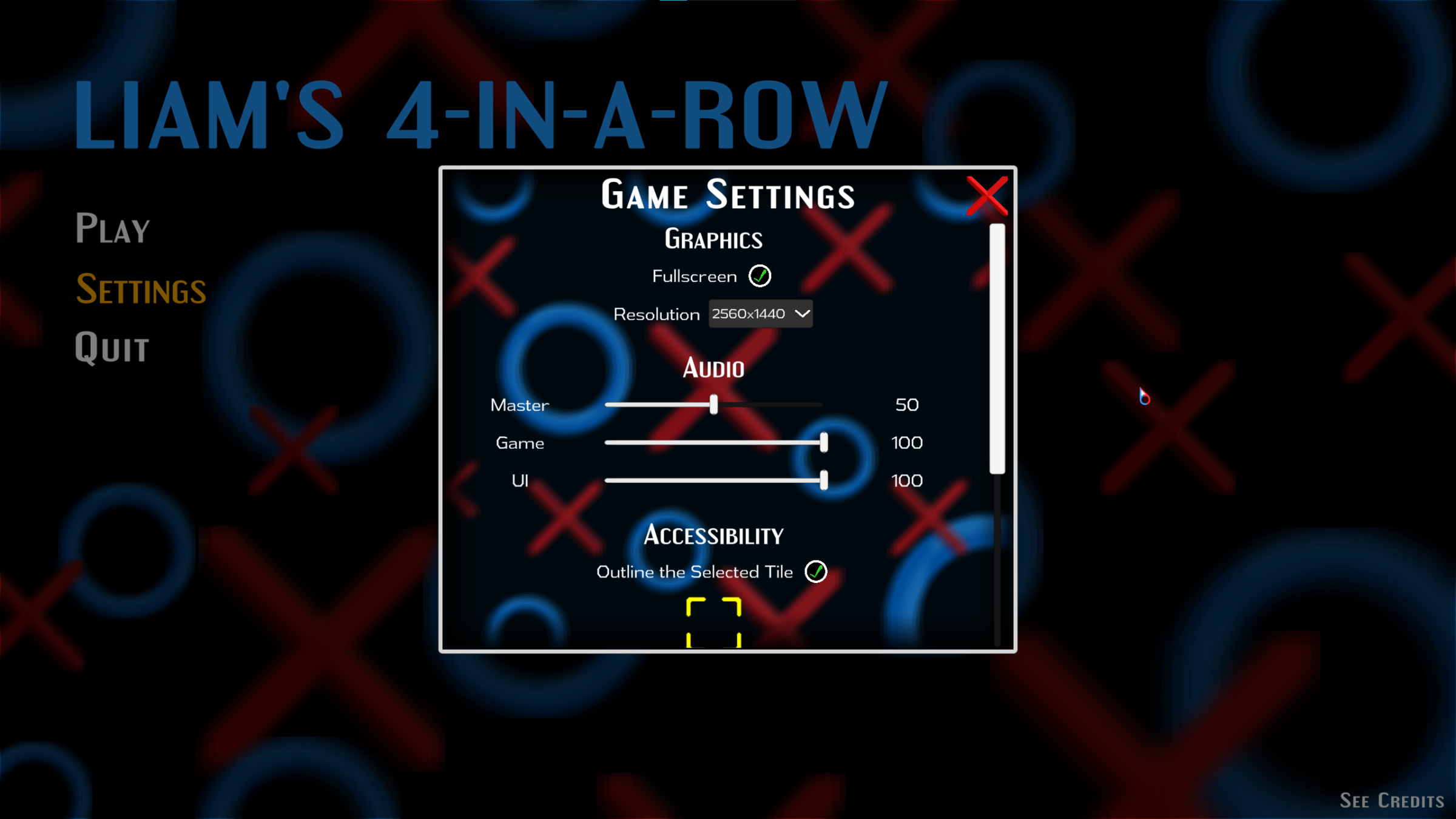
Lobby Browser
I created a user interface for a lobby browser, powered by Unity's Lobby package, so players can search, browse, and host public or password-protected lobbies.
Loading screen
The loading screen appears to mask transitions between scenes while clients load content and the scenes are set up. It uses Unity's network scene manager to ensure each client's loading screen appears and disappears at the same time.
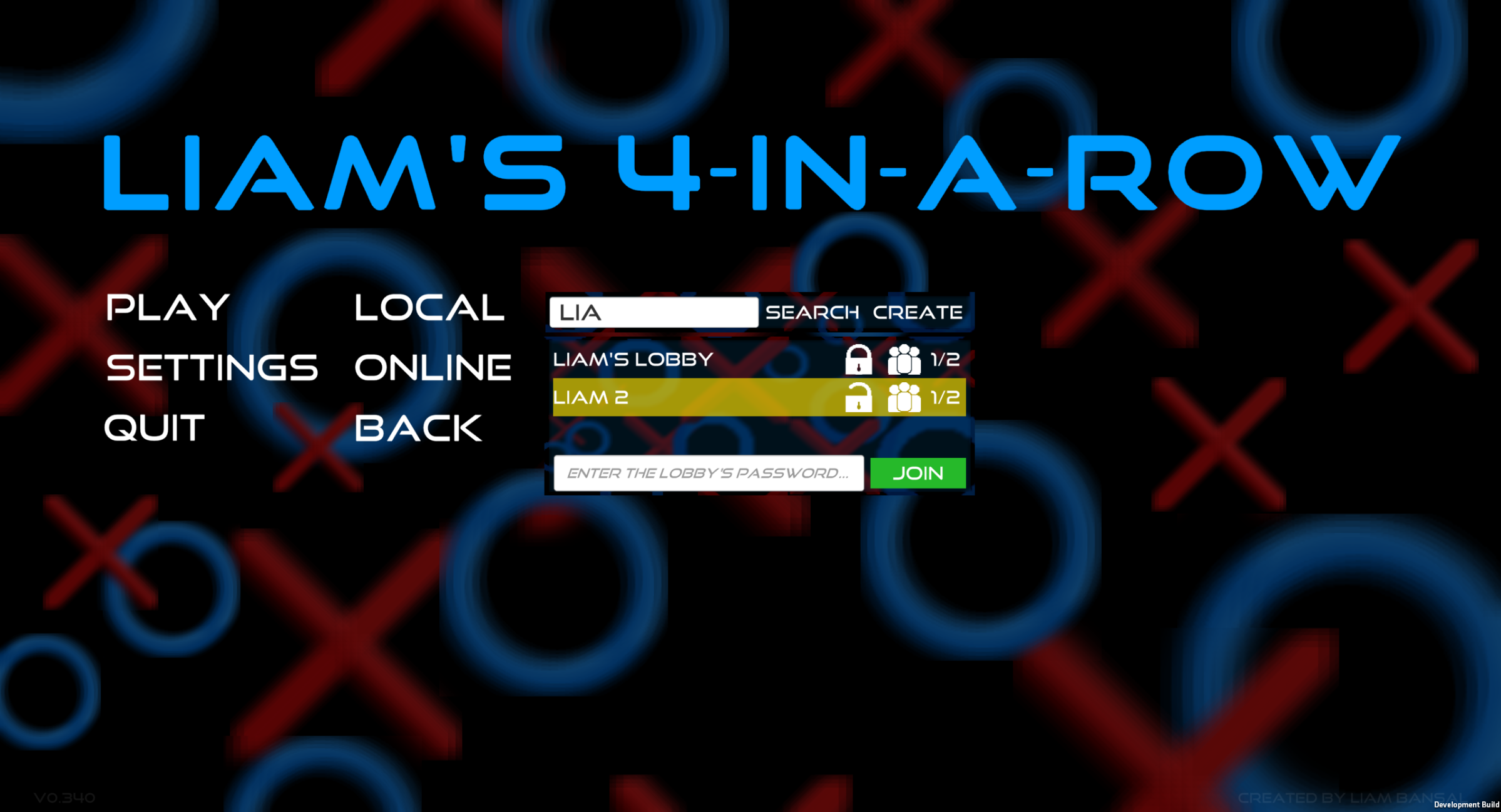
Timeline
The timeline shows all of the upcoming events (triggered from left to right), such as when the turn changes or when a power-up is going to spawn. Each timeline event can trigger a single action or a series of them, such as ending a turn and then spawning one or more power-ups. After an event has triggered all of its actions, the remaining events will move along the timeline from right to left.
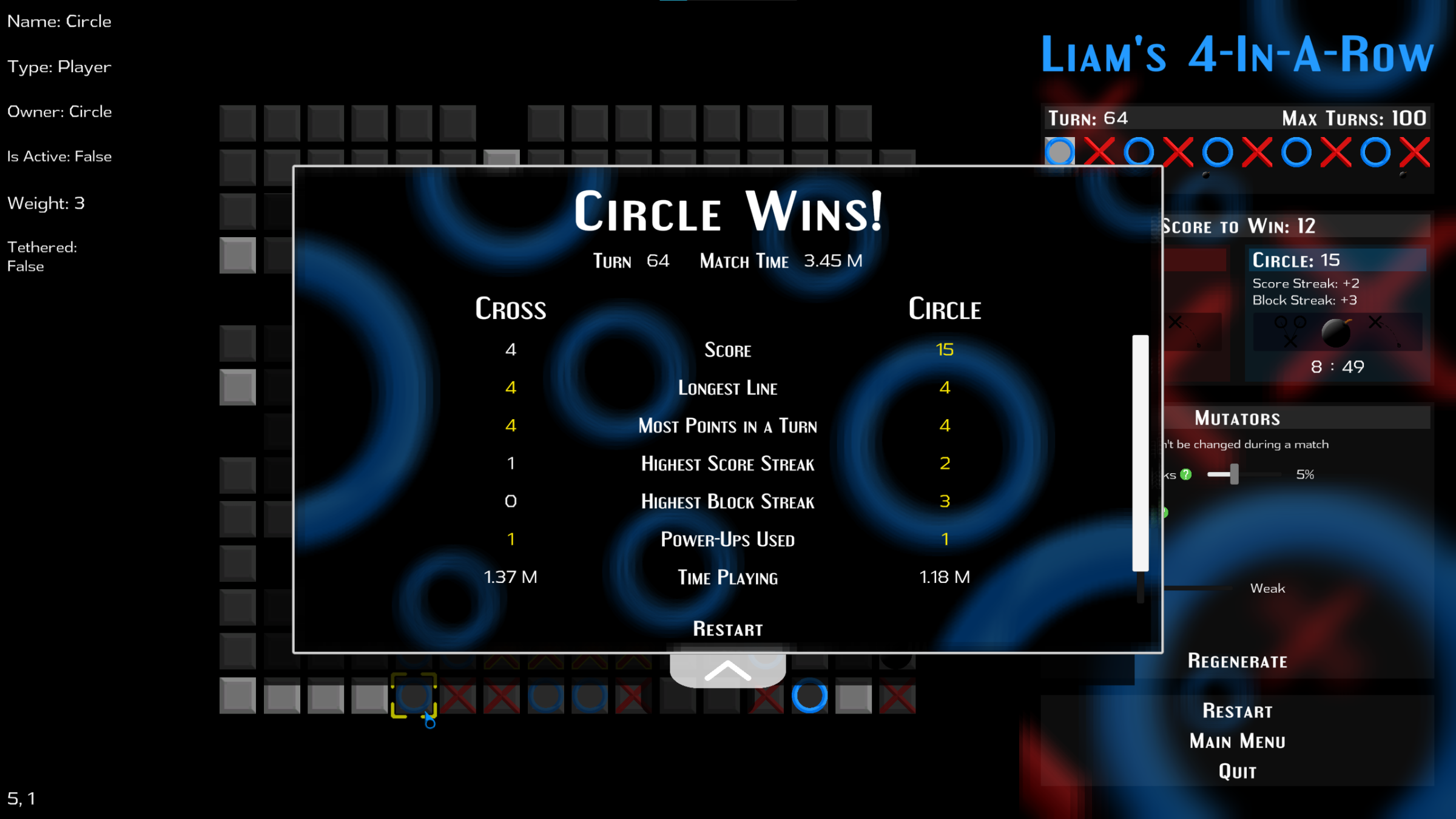
Scoreboard
The scoreboard appears once a match has finished and shows each player's statistics from that match, with the best statistic in each category highlighted in yellow. This taught me how to share custom data types over a network using the Netcode for Game-Objects package.
Match and Mutator Settings
Players can choose from a variety of match settings and mutator settings to set up their ideal match. These include things like the score to win, the grid size, and which power-ups will be turned on.
Game Settings
The game's settings menu contains a few different options for changing graphical and audio elements, and uses Unity's player prefs feature to save & load the player's selected settings.
Scaling User Interface
I have considered how different screen sizes might affect the display of the game's UI elements and used Unity's layout components to ensure that the UI elements maintain their intended layout and an ideal size across different screen sizes.
Online Multiplayer
The game features online multiplayer, as well as local co-op, for two players. The online multiplayer is powered by Unity's Netcode for Game-Objects, Lobby, and Relay packages. These packages allowed me to connect clients, create a lobby system and browser, and share data using remote procedure calls and network variables. Here's a list of some of the work that I've completed for the online multiplayer:
-
Shared and synchronised data between multiple clients, such as input data for using power-ups, match settings, match statistics, timeline events, scores, and more.
- Handled connecting clients and disconnecting clients, as well as disconnecting idle clients and closing a lobby that's inactive for too long.
- Created a user interface for browsing and hosting lobbies.
- Synchronised loading screens across multiple clients.
- Ensured that the host simulates all physics-based events.
GitHub
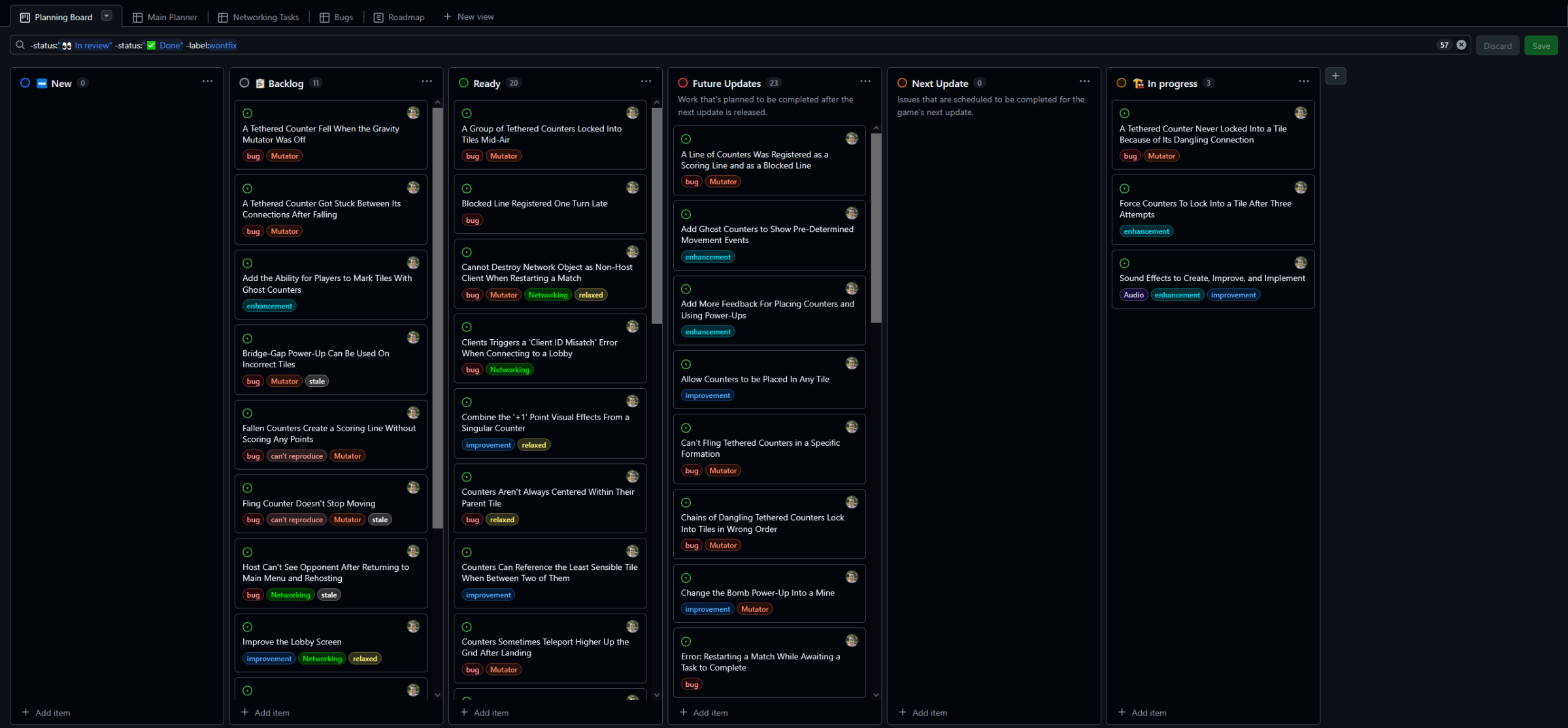
I used GitHub throughout the project to backup work, document bugs, changes to be made, and new content, keep detailed notes for every task to keep track of my progress, and manage my workflow.
Planning Board
I created a planning board linked to the game's GitHub repository, so I could organise tasks into different categories that prioritised what needed to be done first. This gave me a good overview of the content for upcoming updates, so I always knew what to work on.
Other Notable Work
Error Messages
Error messages are displayed in-game...
Supporting Different Game Versions
When searching for open lobbies, clients are informed about lobbies that are running on a newer version of the game and don't see those results unless the two versions are backwards compatible.
Since the game requries manual updating I created a message that appears if a client can't authenticate with Unity services (intentional when the version's target environment is deleted to control which versions are supported with online multiplayer)